
Know Who’s Hauling Your Freight.
CarriVault checks every carrier against FMCSA, their insurance, their packet and their history before you tender a load — and flags double brokering, hijacked MCs and identity fraud in plain language.
Carriers: build one onboarding packet and send it to any broker on CarriVault. Learn more.
How It Works
From the first packet to the signed rate confirmation, every step is checked.
Carrier Joins
Carriers sign up from your link with their MC/DOT, contacts, W-9, COI and payment details.
CarriVault Checks
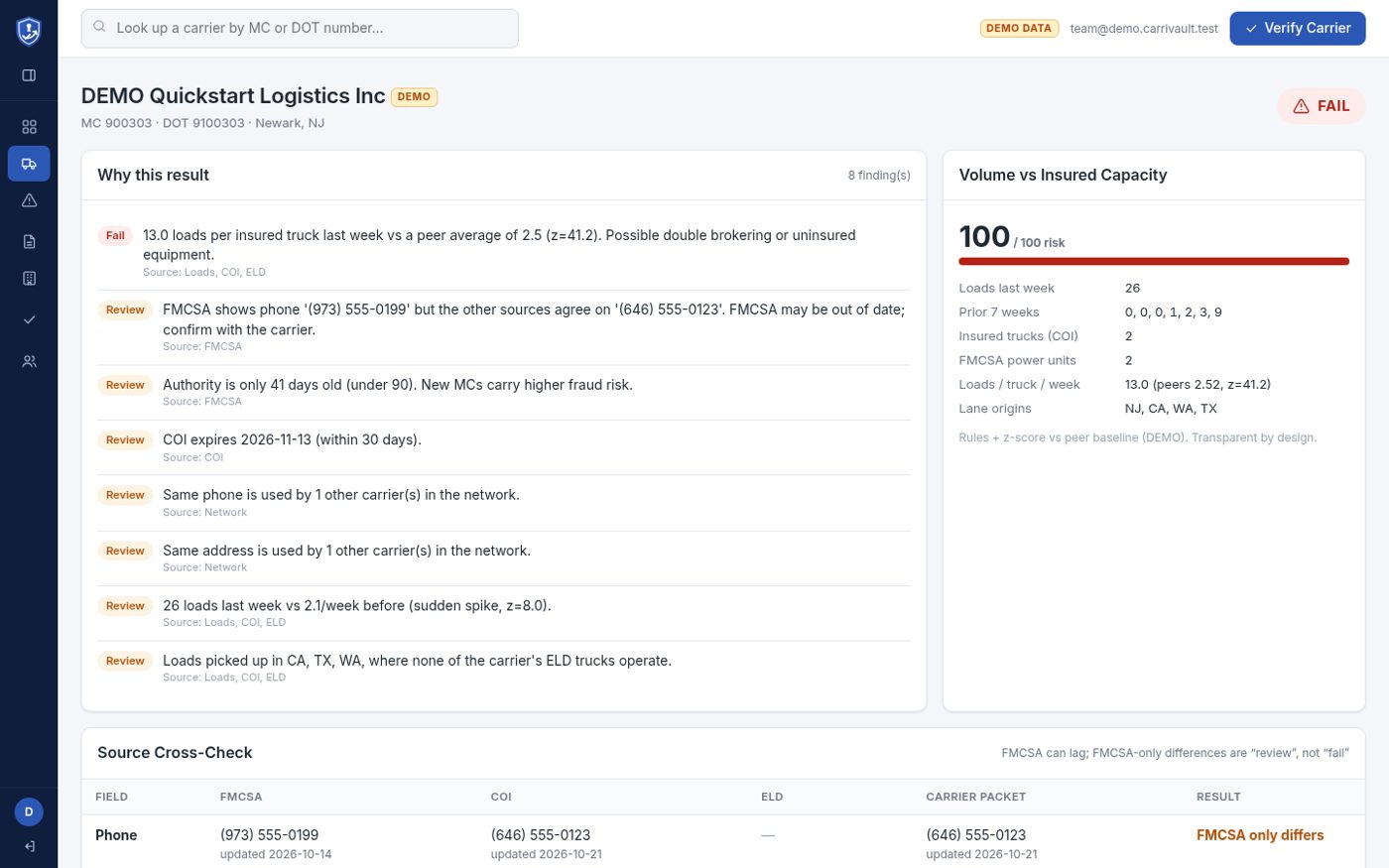
FMCSA authority, insurance, contacts, trucks and load patterns are cross-checked. You get Pass, Review or Fail with reasons.
Re-check at Dispatch
Right before you dispatch, run it again. Red carriers are blocked unless your Vetting team allows them.
Sign & Track
The carrier e-signs the rate confirmation, and CarriVault keeps watching insurance and changes.
Key Features
Everything a brokerage needs to vet, onboard and keep tabs on carriers.
Identity & FMCSA Checks
Live FMCSA authority lookups cross-checked against the carrier’s COI, packet and ELD data. Mismatches are called out field by field.
Fraud Flags
Shared phones and addresses across carriers, brand-new MCs, hijacked-MC patterns, and load volume that doesn’t match insured trucks.
Monitoring
Contact and payment changes are recorded; bank changes are held for verification before they take effect.
Onboarding Packets
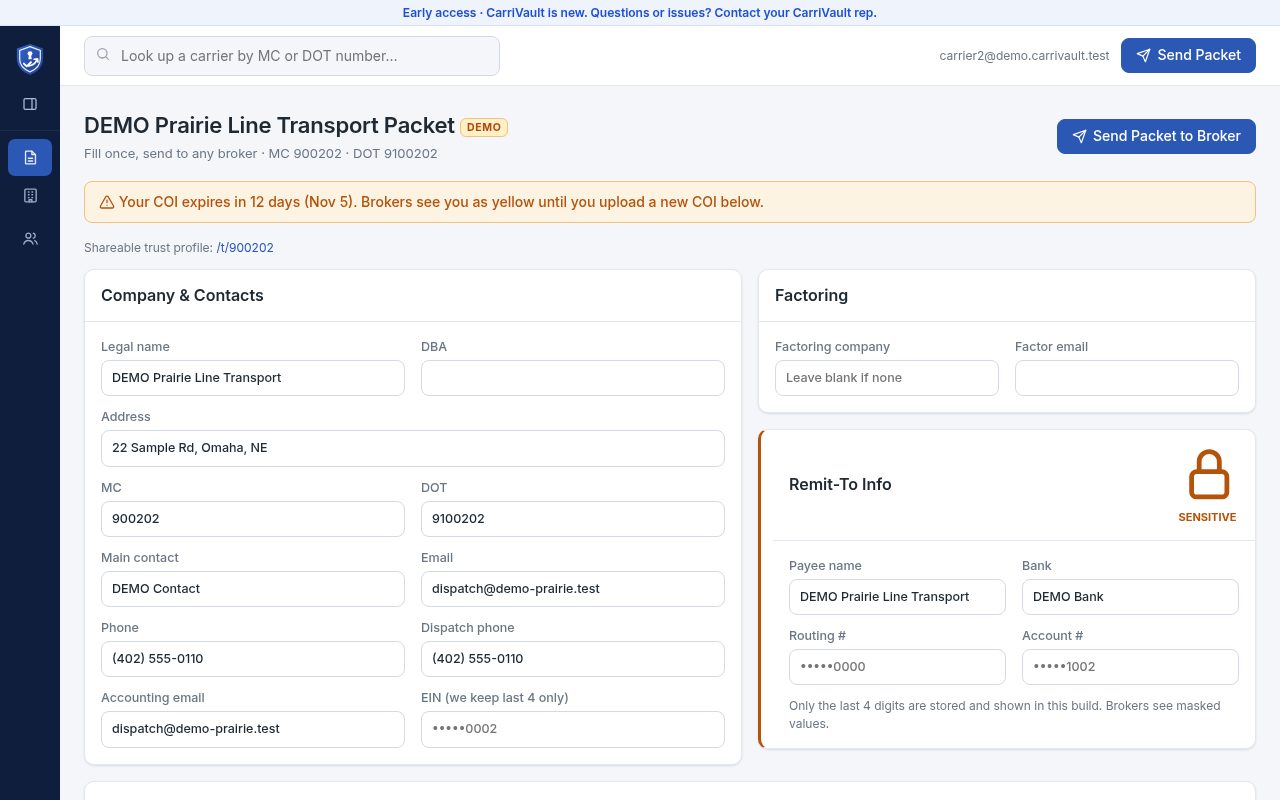
Carriers fill one packet once and send it to any broker. You set your terms, required documents and insurance minimums.
Verified Broker Reports
Brokers can report fraud or review a carrier. Nothing is shown to others until the CarriVault Verification Team approves it.
Traffic-Light Rules
Pass, Review or Fail with plain reasons — no black box. Red carriers can only be allowed by your own Vetting role, with an audit trail.
COI Chaser
Carriers are reminded 30, 15 and 5 days before their insurance expires, and show yellow until a new COI is uploaded.
Scorecards
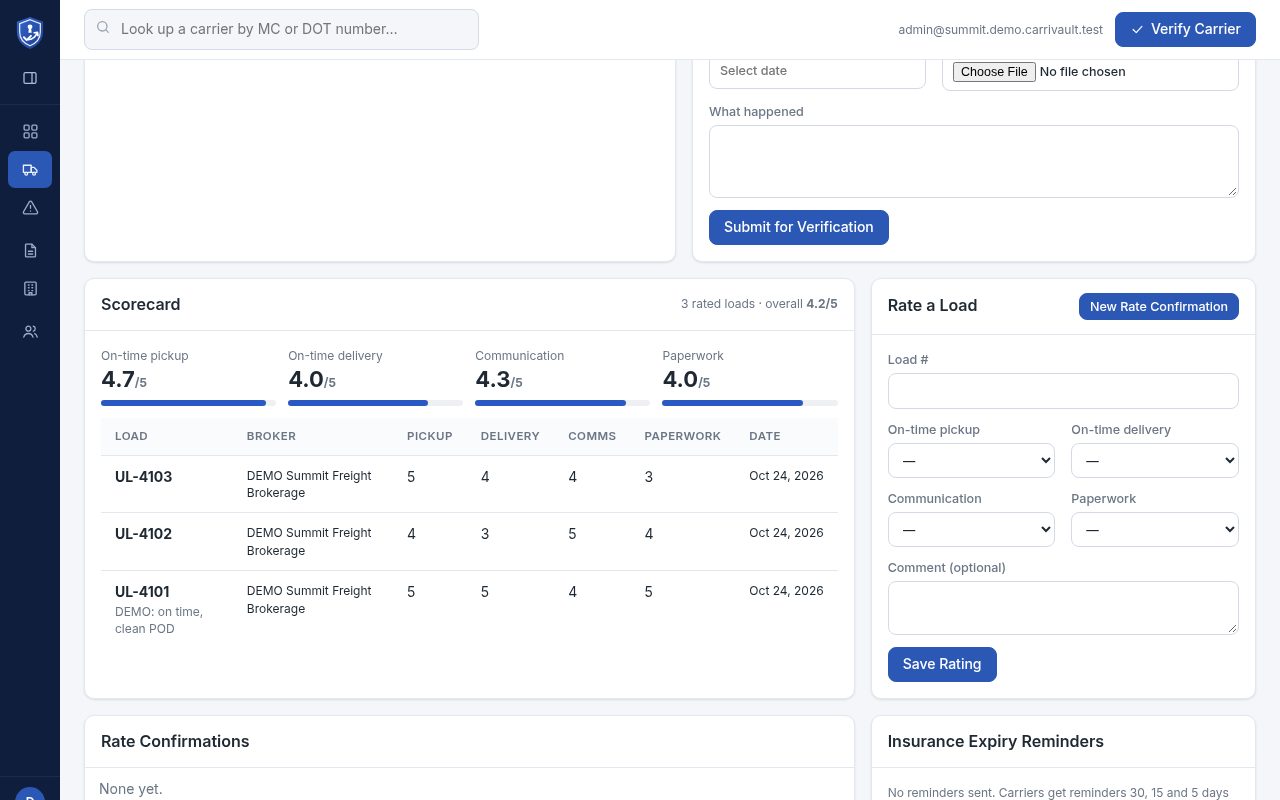
Rate each load on on-time pickup, delivery, communication and paperwork, and see the history on the carrier’s profile.
Rate Con E-Sign
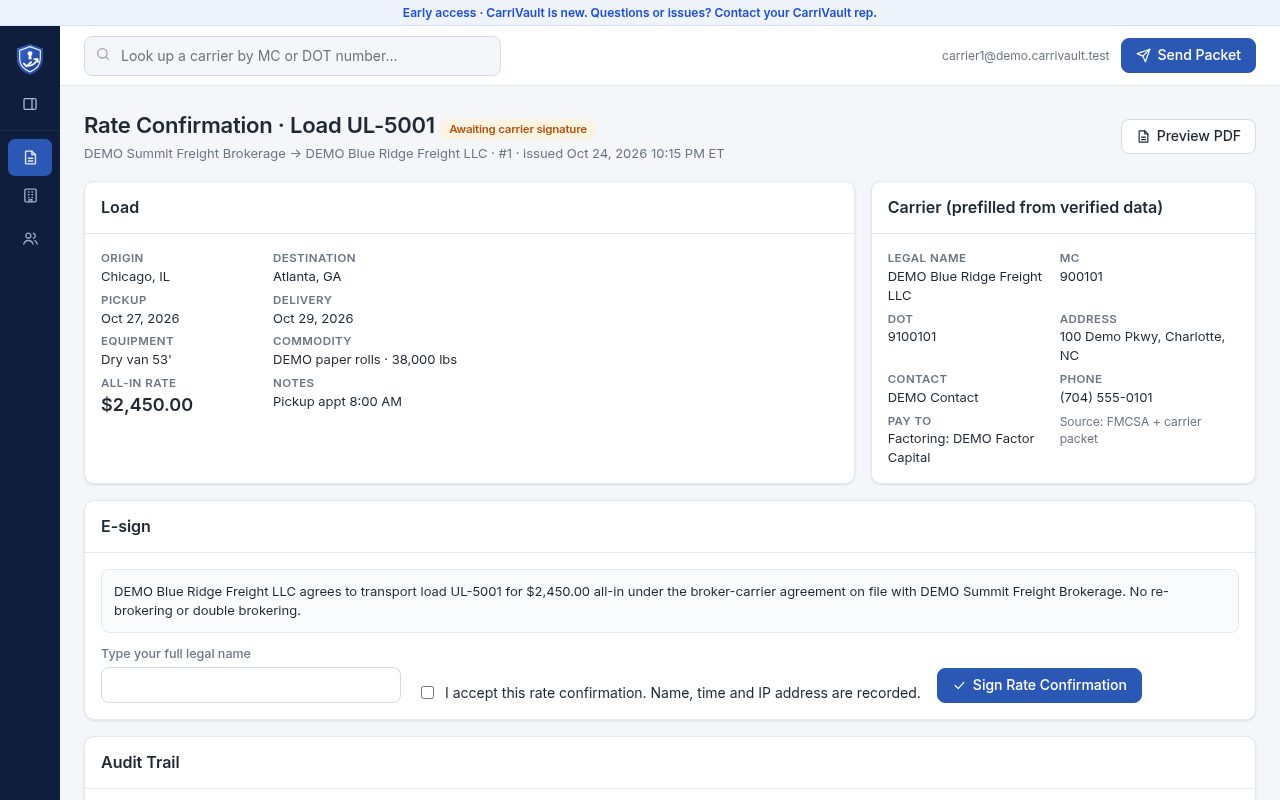
Carriers e-sign rate confirmations with name, time and IP recorded. You get the signed PDF back.
Sent from UrbanTMS, Signed in CarriVault
Rate confirmations come straight from your loads in UrbanTMS. CarriVault matches the carrier, runs the dispatch check, and the signed PDF flows back to UrbanTMS.
- Carrier details prefilled from verified data
- Red carriers blocked before they get a rate con
- Signature record: name, time and IP
Never Miss an Expiring COI
CarriVault reminds carriers before their insurance runs out and flags them yellow until they upload a new certificate.
- Reminders at 30, 15 and 5 days
- Yellow status until renewed
- Reminder history on every carrier
Know Who Performs
After each load, rate the carrier on what matters to your customers. Scores build into a history you can check before the next tender.
Stop Fraud Before the Truck Shows Up
CarriVault is in early access. Tell us about your brokerage and we’ll get you set up.
Sign Up Contact Us